Business data enables you to associate structured information with your entities in Pilott: delivery points, subsidiary companies, and groups.
Specifically, you can add custom key/value pairs to organize, search, filter, analyze, and export your business objects.
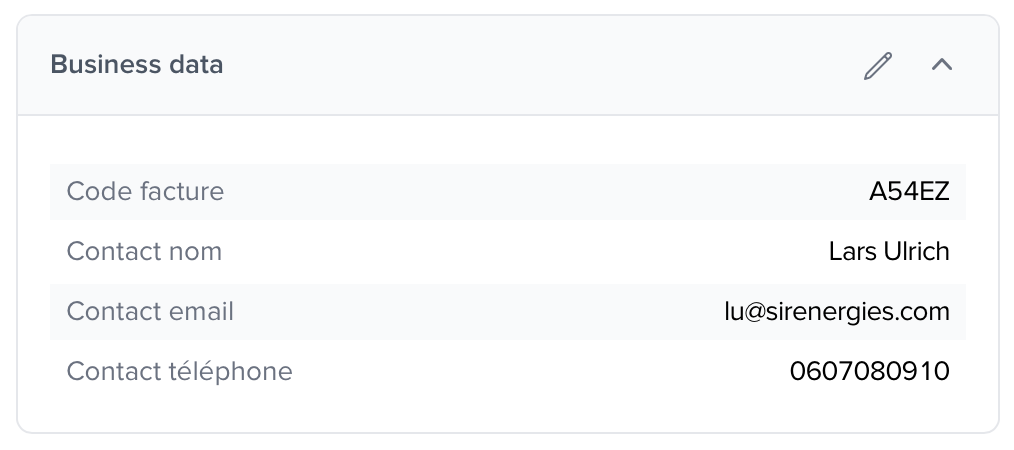
Business data is visible and can be modified in three sections of the Pilott module:
Access to business data | |
Delivery point | In the delivery point record, 'Information' tab |
Company | From the company preferences |
Group | In the group record, 'Information' tab |
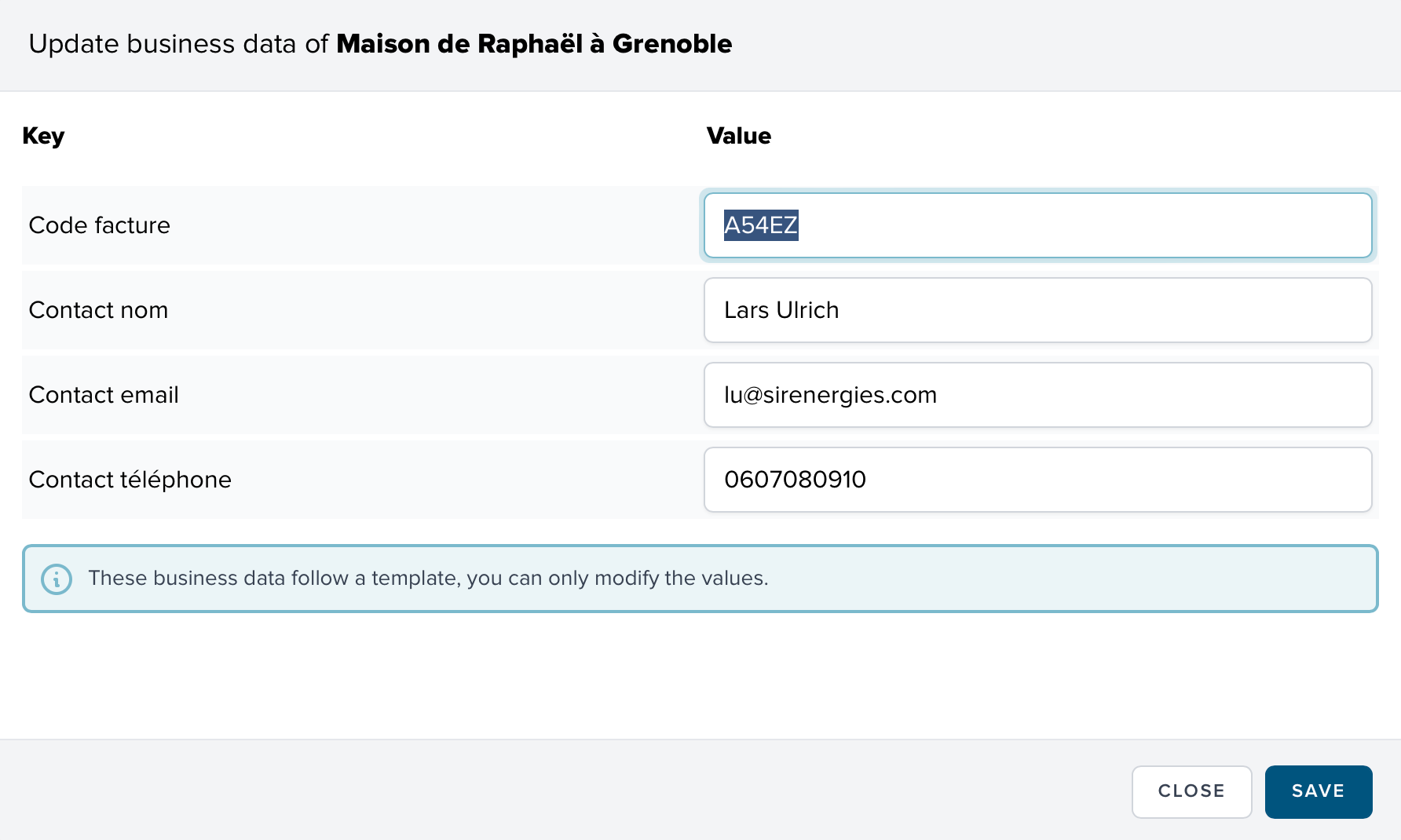
Access the file of the relevant object (delivery point, company, or group)
Click on the Edit
Add or modify the keys and their values
Reorder them as you wish
Click on Save


To standardize a scope, you can define business data models. The models are specific to each company and are defined from the company preferences page.
Each company can define its own business data models, namely:
An expected structure for each type of object (delivery point, company, or group)
Automatically applied validation rules
A standardization of field names (keys) and value types
There are several dozen validation rules, for example:
required : the value is mandatory
email : verifies a valid email format
numeric : accepts numbers only
Users are then no longer able to create new keys and are restricted to using those from the template.

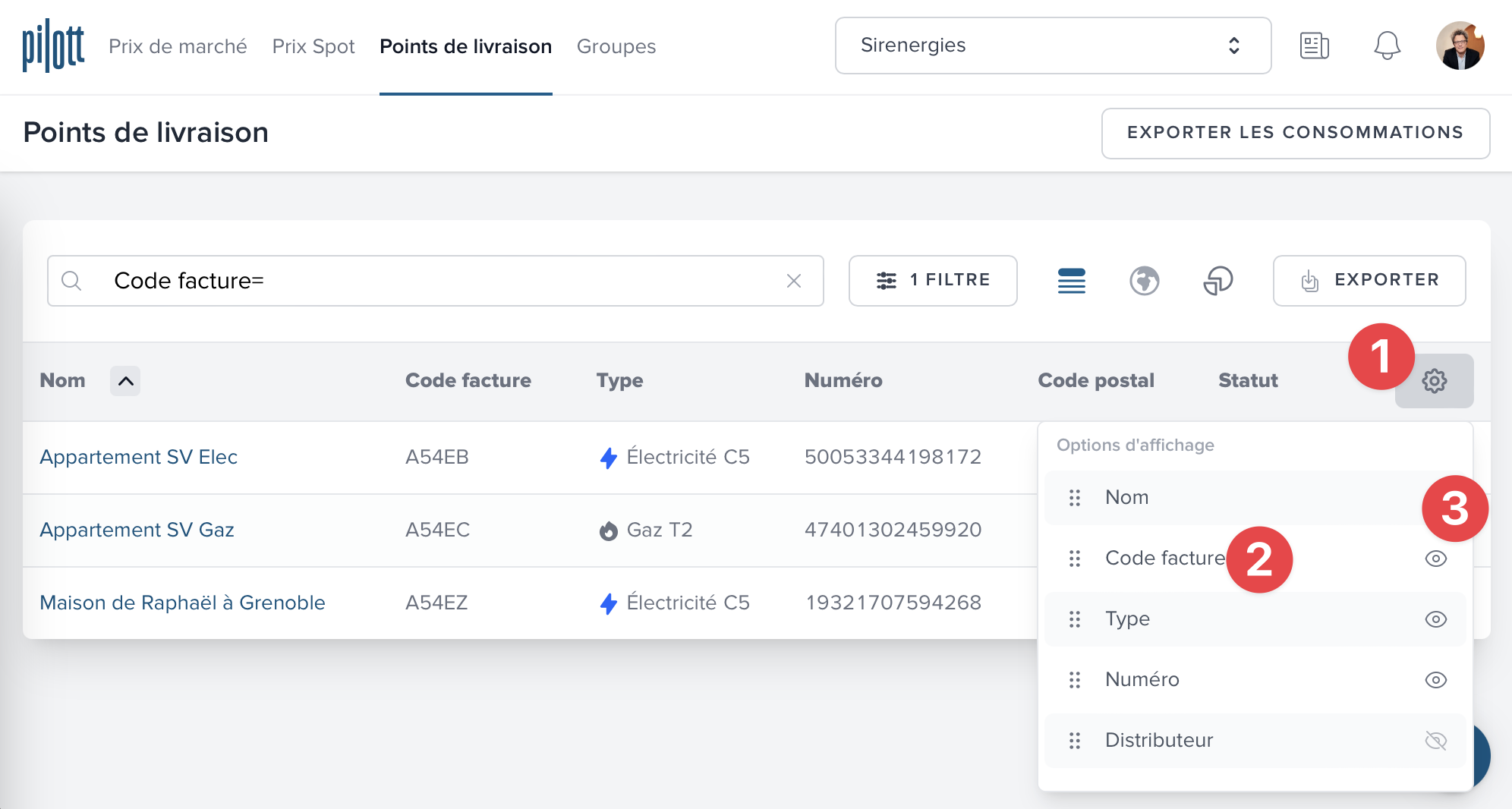
When you use templates, you can display keys in the lists and place them wherever you wish. Your display preferences are saved and are only for you, as other users within your company have their own.
Click on the wheel in the table header
Place the key wherever you want in the list
Click on the eye to display the column
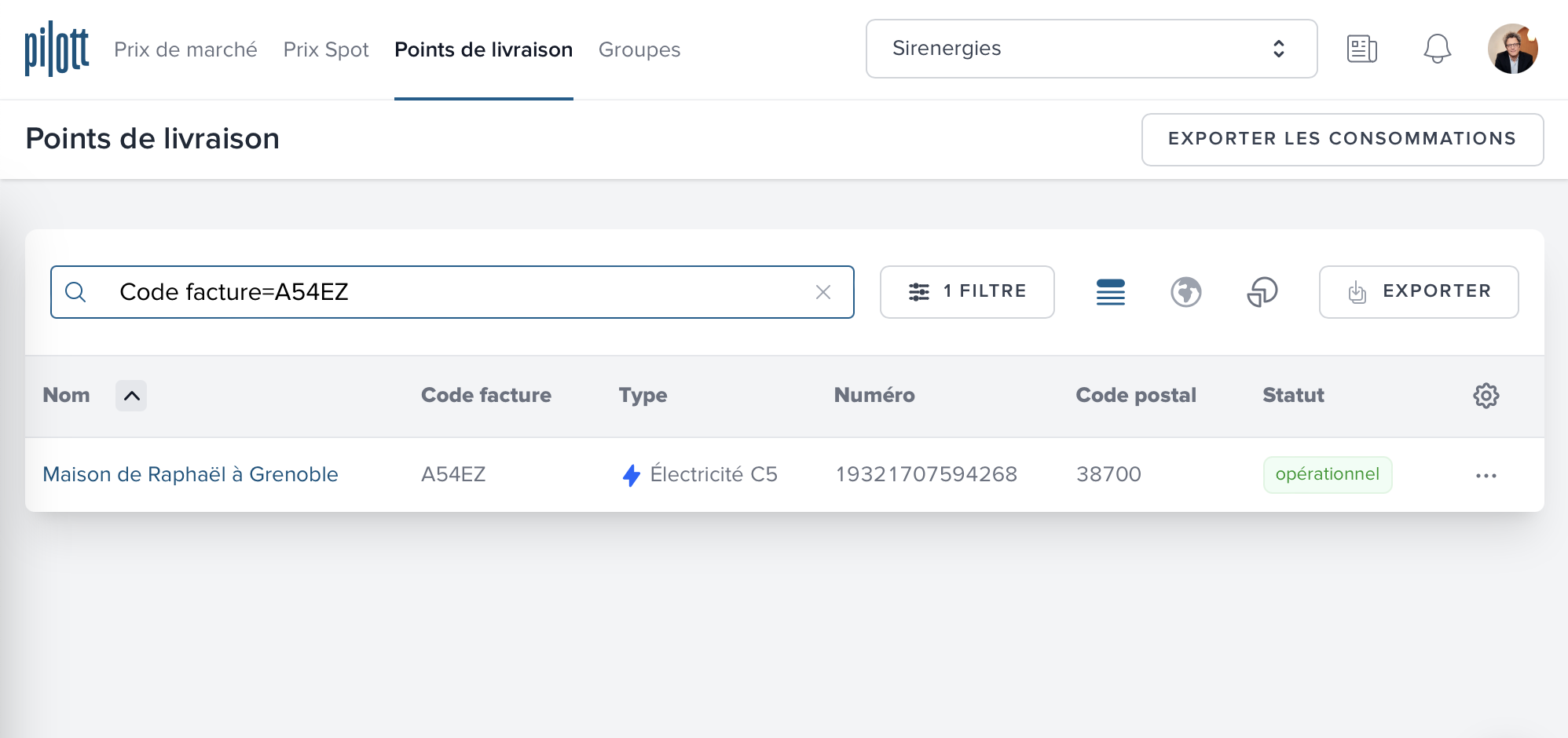
In the delivery points or groups search field, you can type key=value to search for a specific business data.
Example:
Invoice code=A54 will display all delivery points that have the business data Invoice code starting with value A54
Code facture= will display all delivery points that have the business data Code facture regardless of its value
When you export a list of delivery points, the business data is also exported so that you can have a complete scope.
If the company to which you are connected does not use a template then all business data of all delivery points will be exported.
If the company to which you are connected uses a template then only the business data defined at the template level will be exported.
If you wish to import data in bulk at the beginning, please contact us. We will be happy to do it for you to save you time!
Our support team is at your disposal for any questions or requests for assistance regarding the use of business data.
Simply contact us by clicking on the chat button at the bottom right of the screen!