Introduction
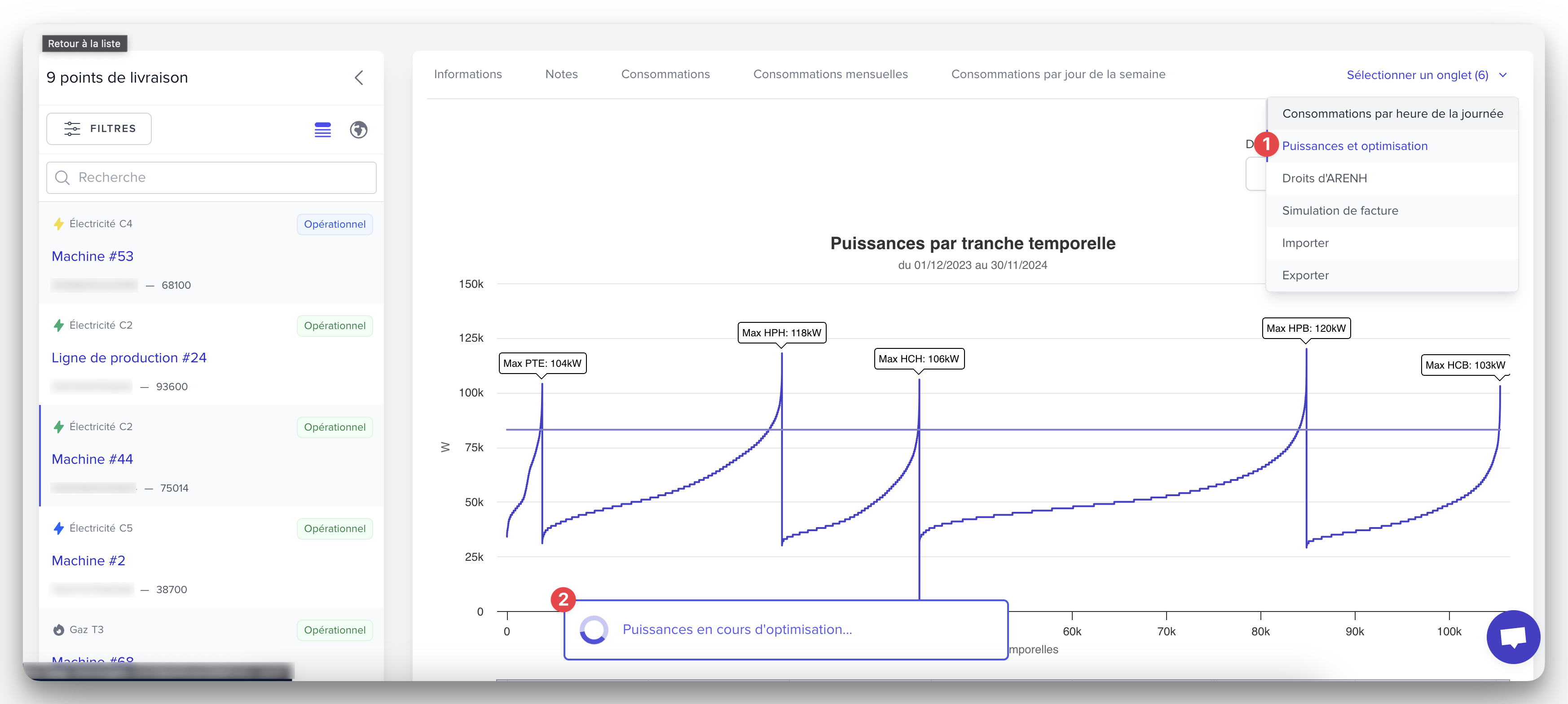
Go to the overview page of your delivery point, in the tab
Power and optimizations.The optimization of subscribed capacities is initiated based on the consumption of the last 12 months (if you access the page for the first time, the operation may take about twenty seconds).
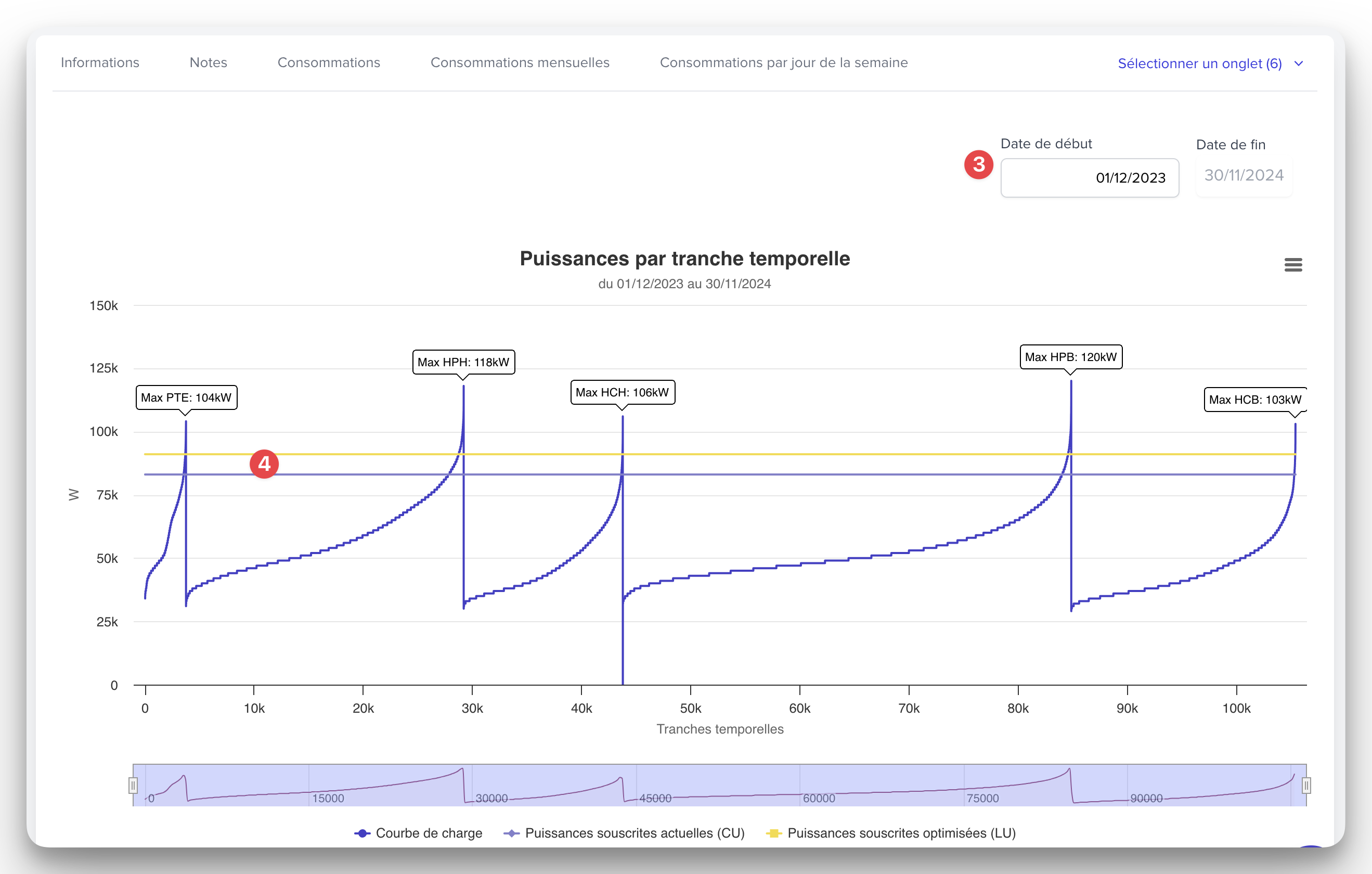
If you wish, select another reference consumption period.
Compare the optimized subscribed power (yellow line) with the current ones (purple line) on the graph.
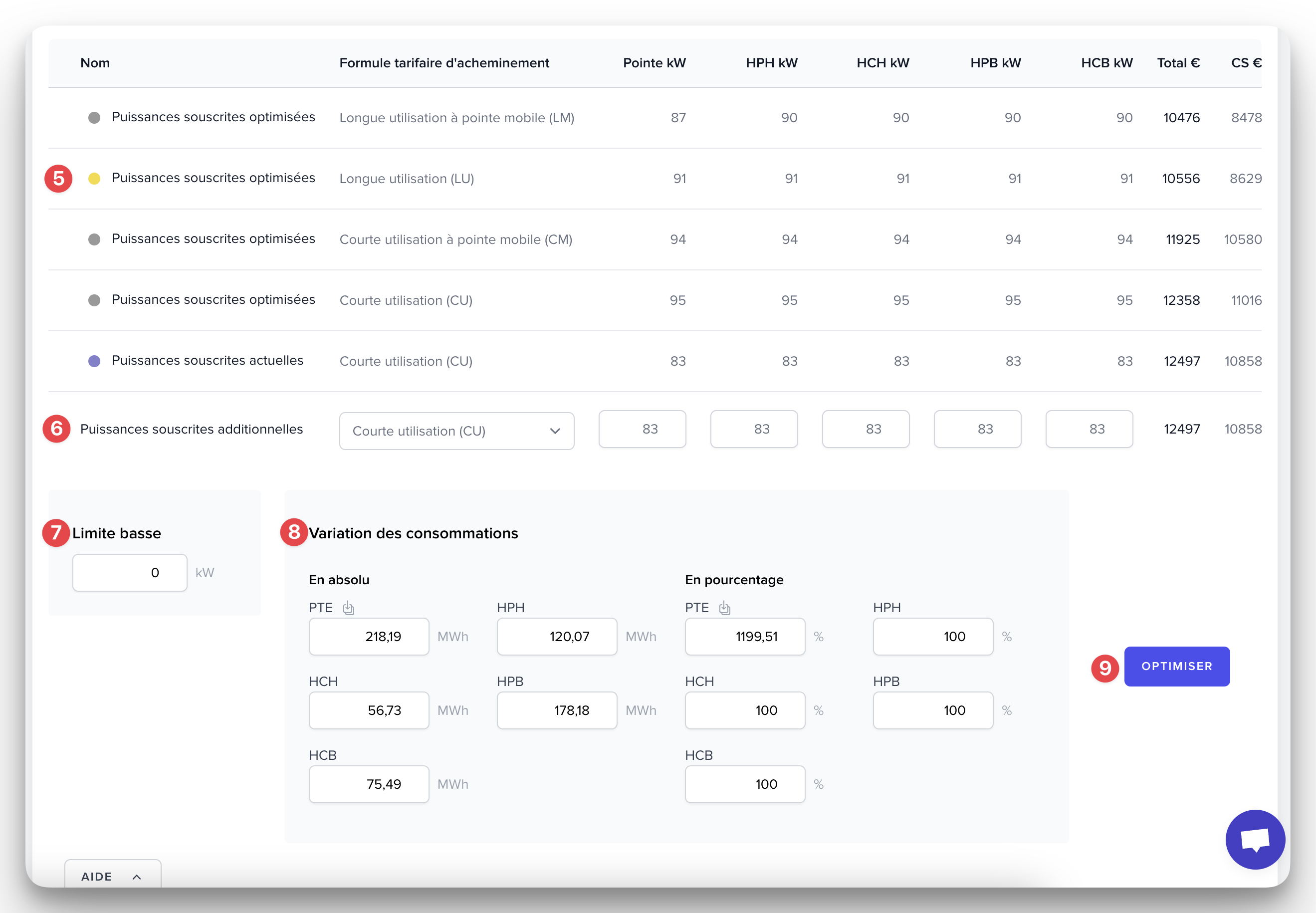
Review the details of the different optimization solutions: the one that generates the least TURPE and CTA is marked with a yellow tag.
Modify the values of
Additional subscribed powerto vary the TURPE and CTA according to the routing tariff formula and the subscribed power of your choice.For advanced optimization : Specify the subscribed power limit below which the HCB power cannot drop.
Adjust the consumption on which the optimization will be based, either upwards or downwards.
Click on
OPTIMIZEto initiate the optimization with these advanced parameters.