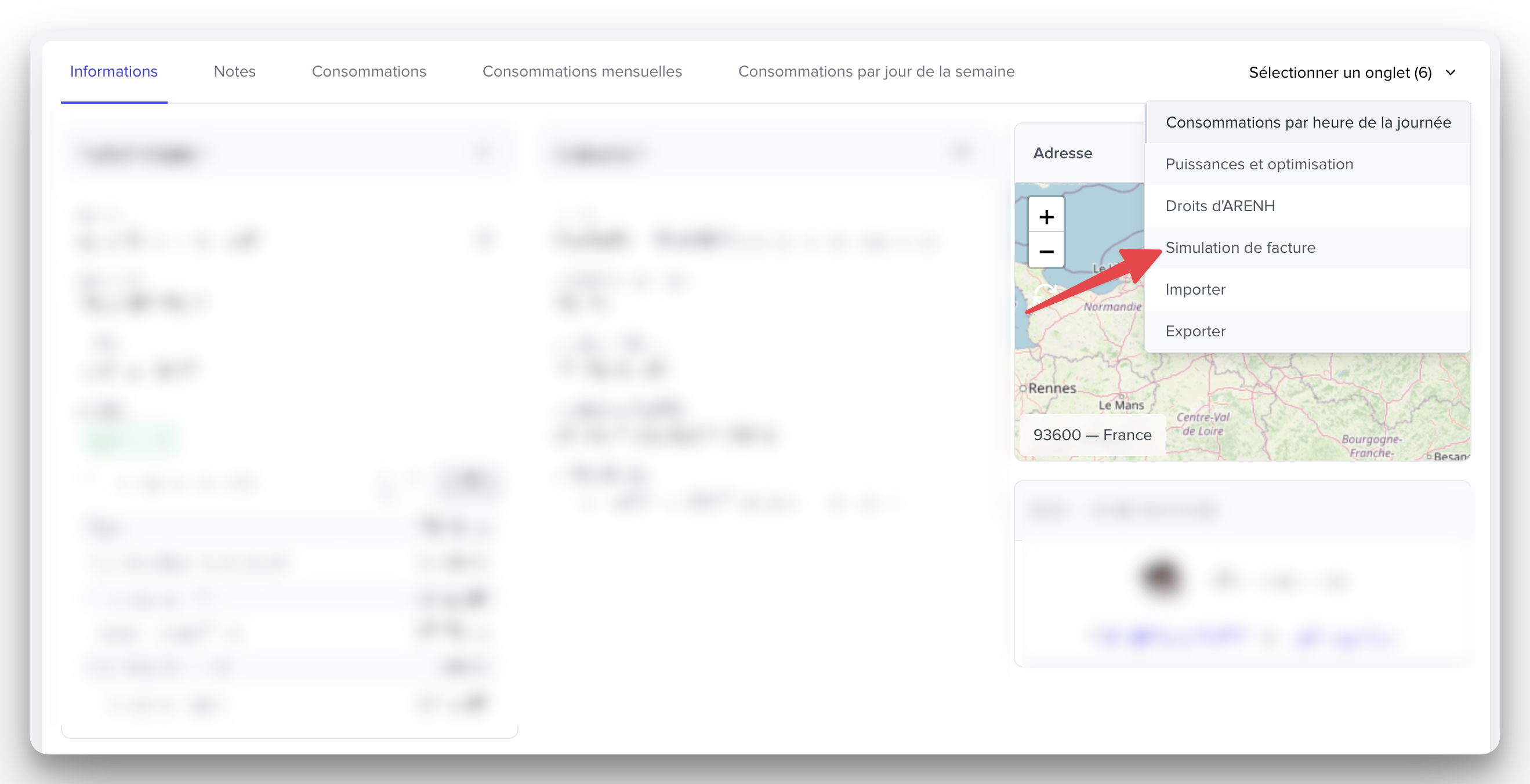
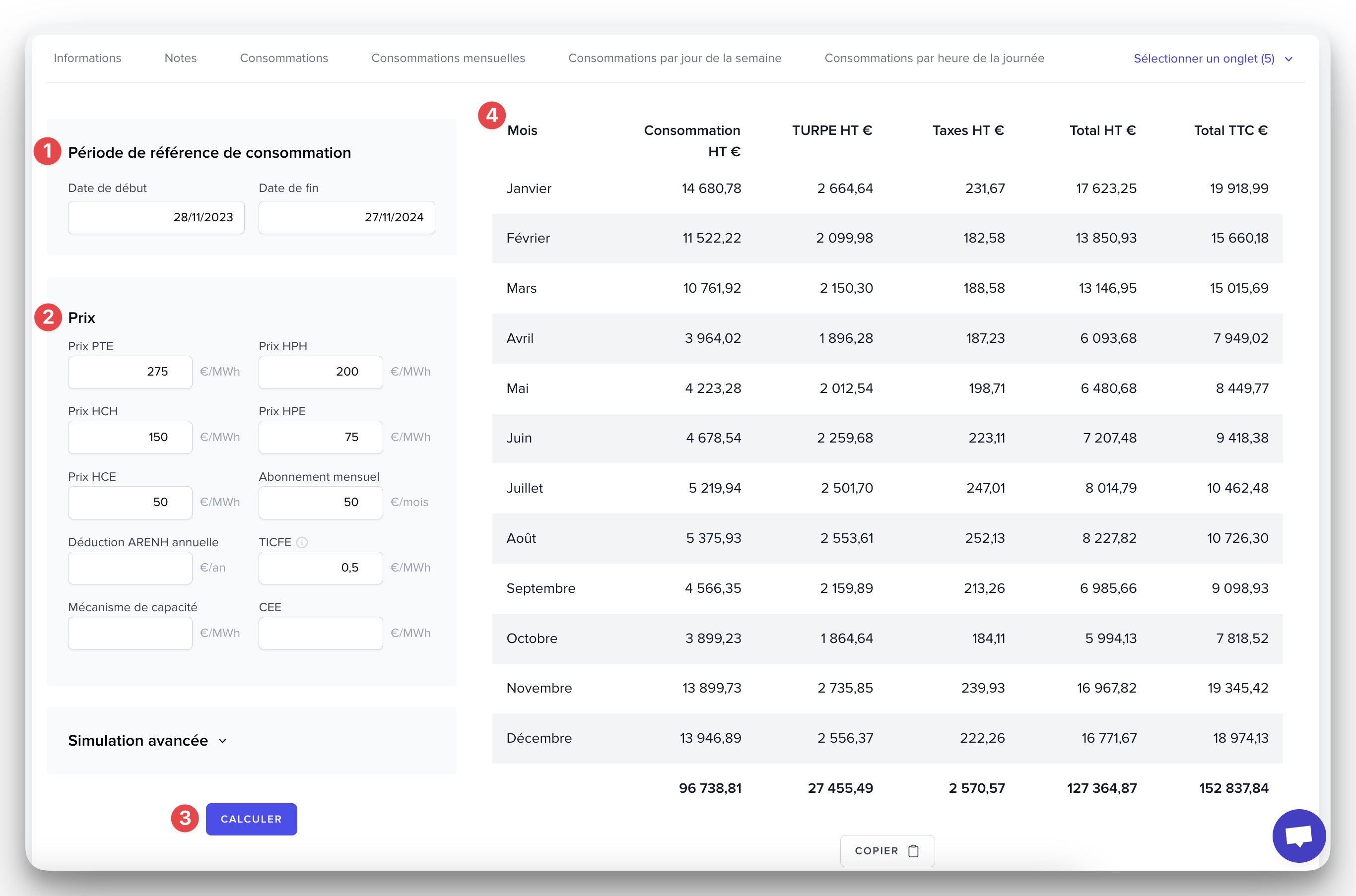
Select a reference period of 1 year (for example, from 11/28/2023 to 11/27/2024 in the example below): we will use this consumption data to simulate the invoice.
Fill in the prices for each time class, the electricity excise duty (formerly TICFE), any potential monthly subscription, etc.
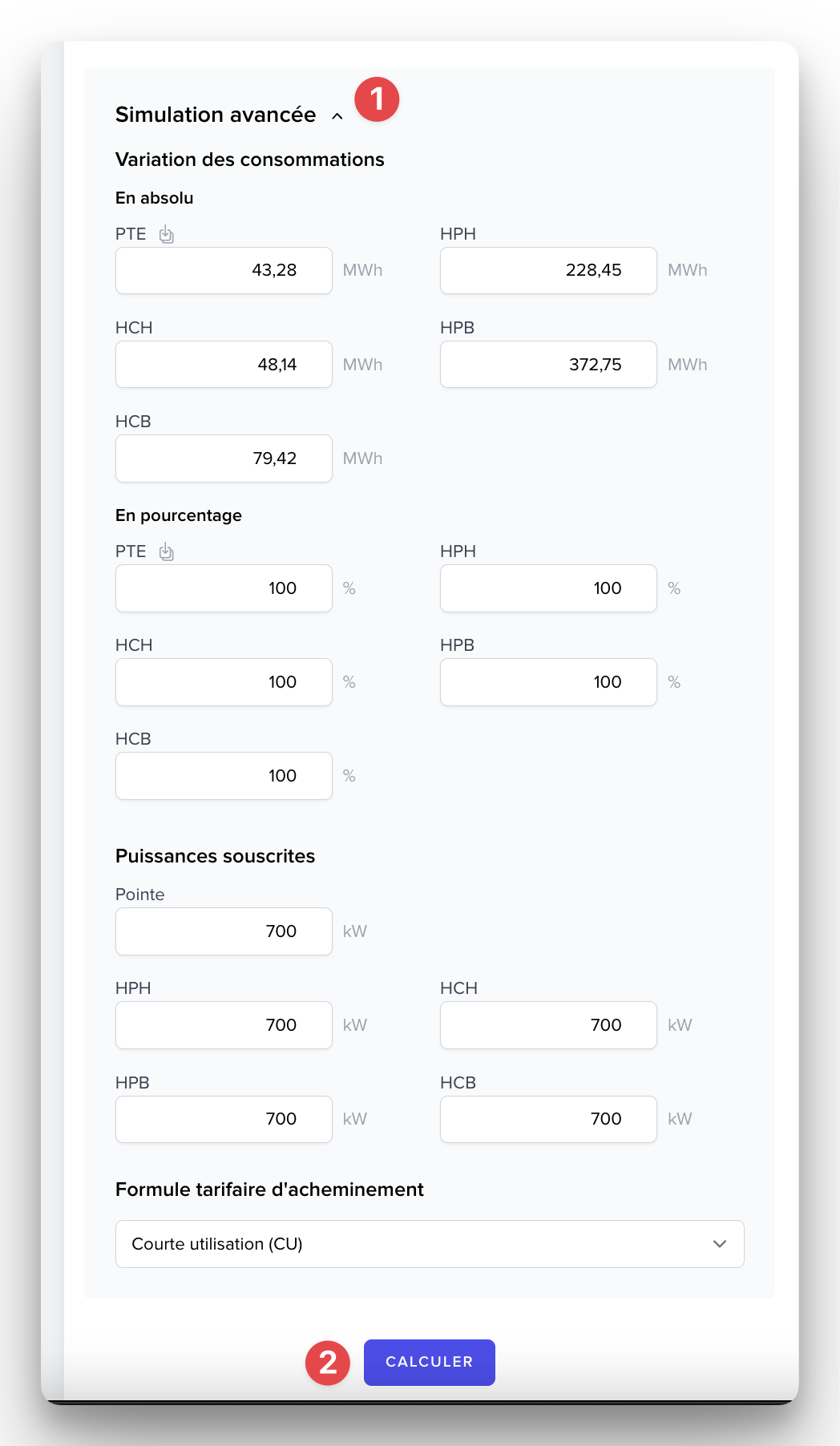
Click on CALCULATE
The payment schedule is displayed on the right.

Click on Advanced Simulation
Adjust the reference consumptions on which the simulation will be based, either upwards or downwards
Optionally modify the subscribed capacities and the routing tariff formula
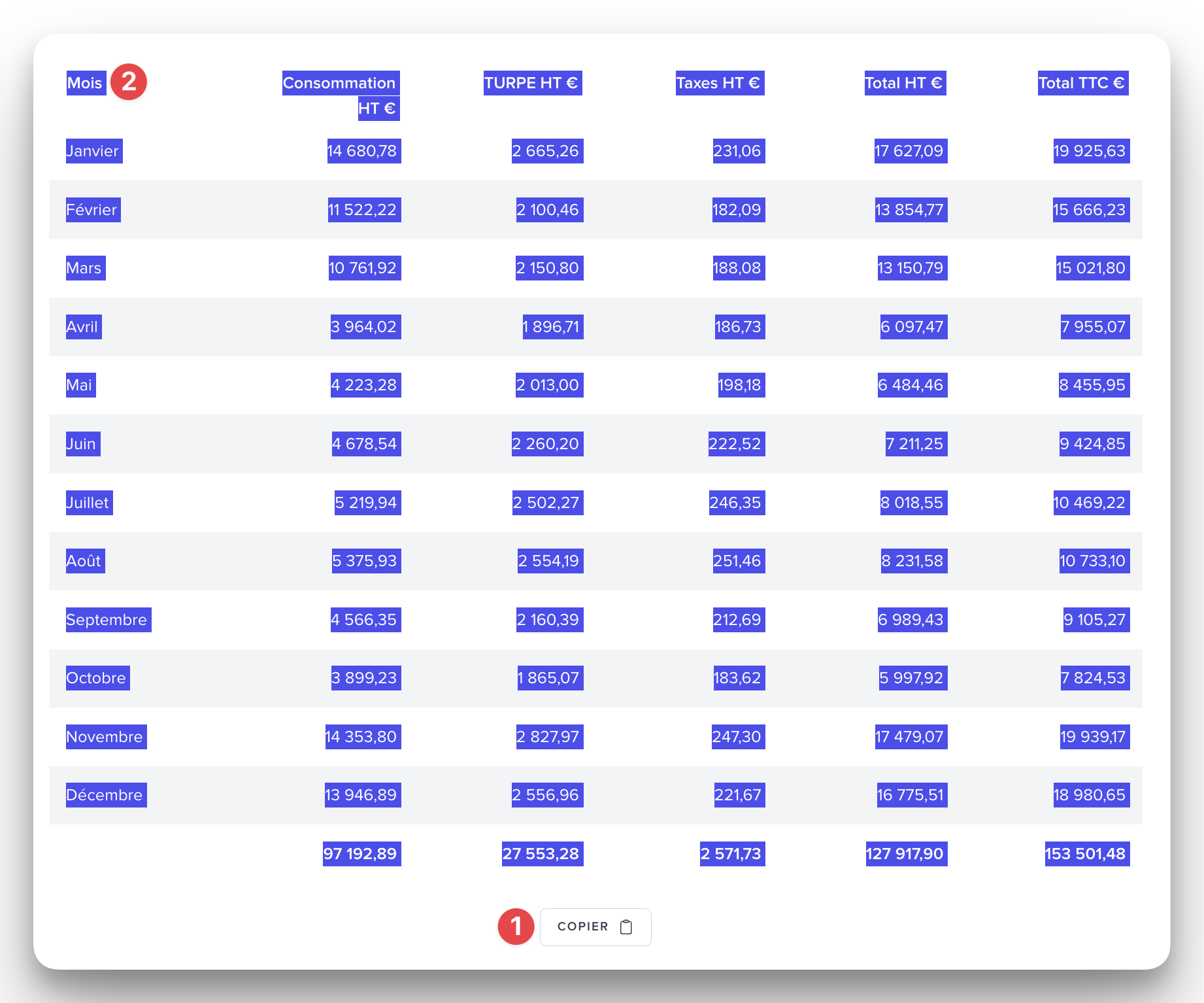
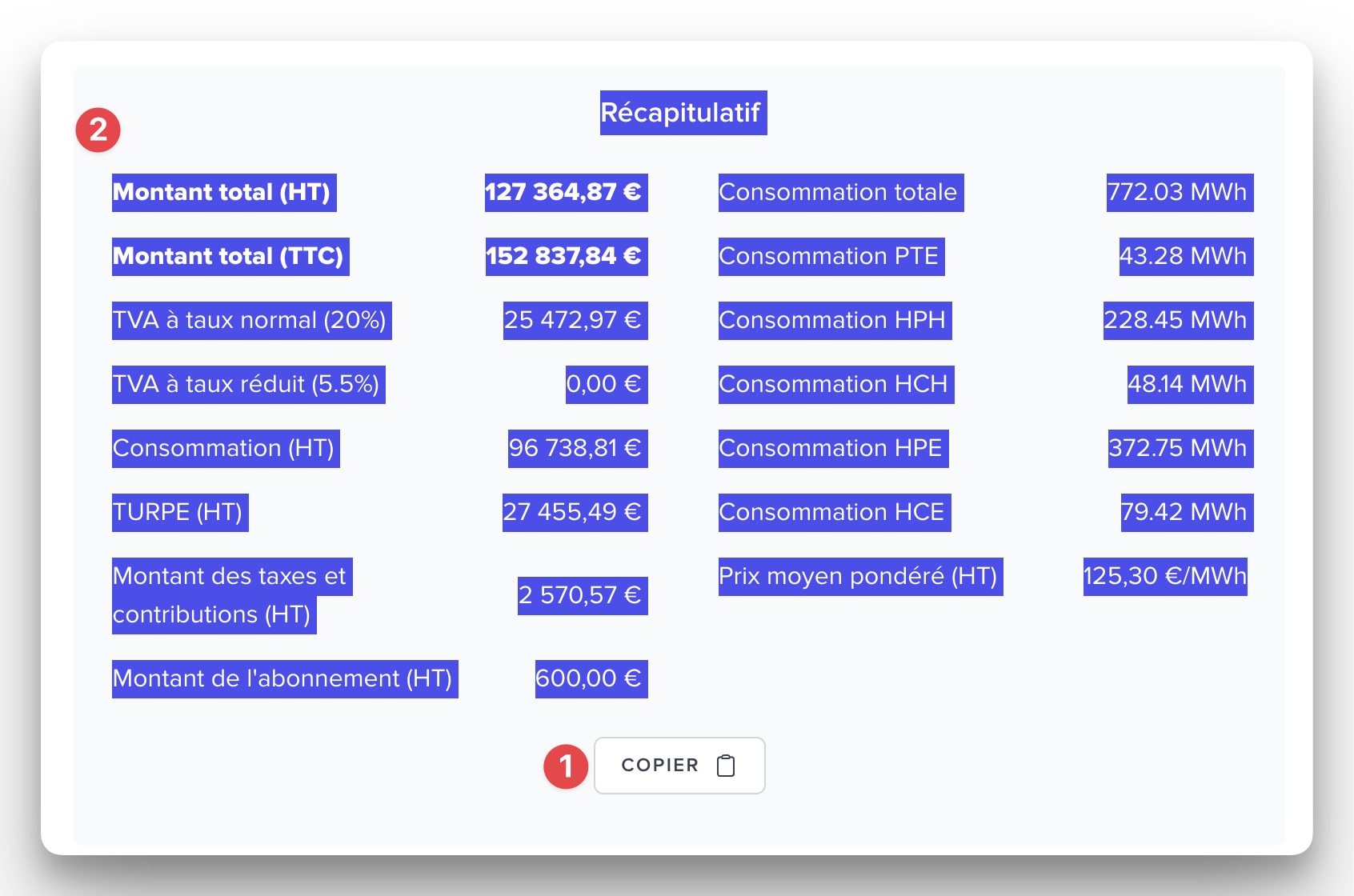
Depending on your spreadsheet software, you can either:
click on the button COPY then paste into Excel to retrieve the values,
select all the text and paste it into Excel