This feature is particularly useful for managers who wish to have an overview of a set of sites. In this guide, we will see how to create a group of delivery points and view its information.
To create a group, follow these steps:
Access the homepage of your dashboard.
Select the company for which you wish to create groups.
Navigate to the groups page.
Click on the CREATE A GROUP button.
Give your group a name that reflects the type of delivery points it will contain, then click on the CREATE button.
Click on the button ADD DELIVERY POINTS.
Select the delivery points individually  or use the filters
  . For example, you can select all electricity delivery points, HTA, and operational ones.
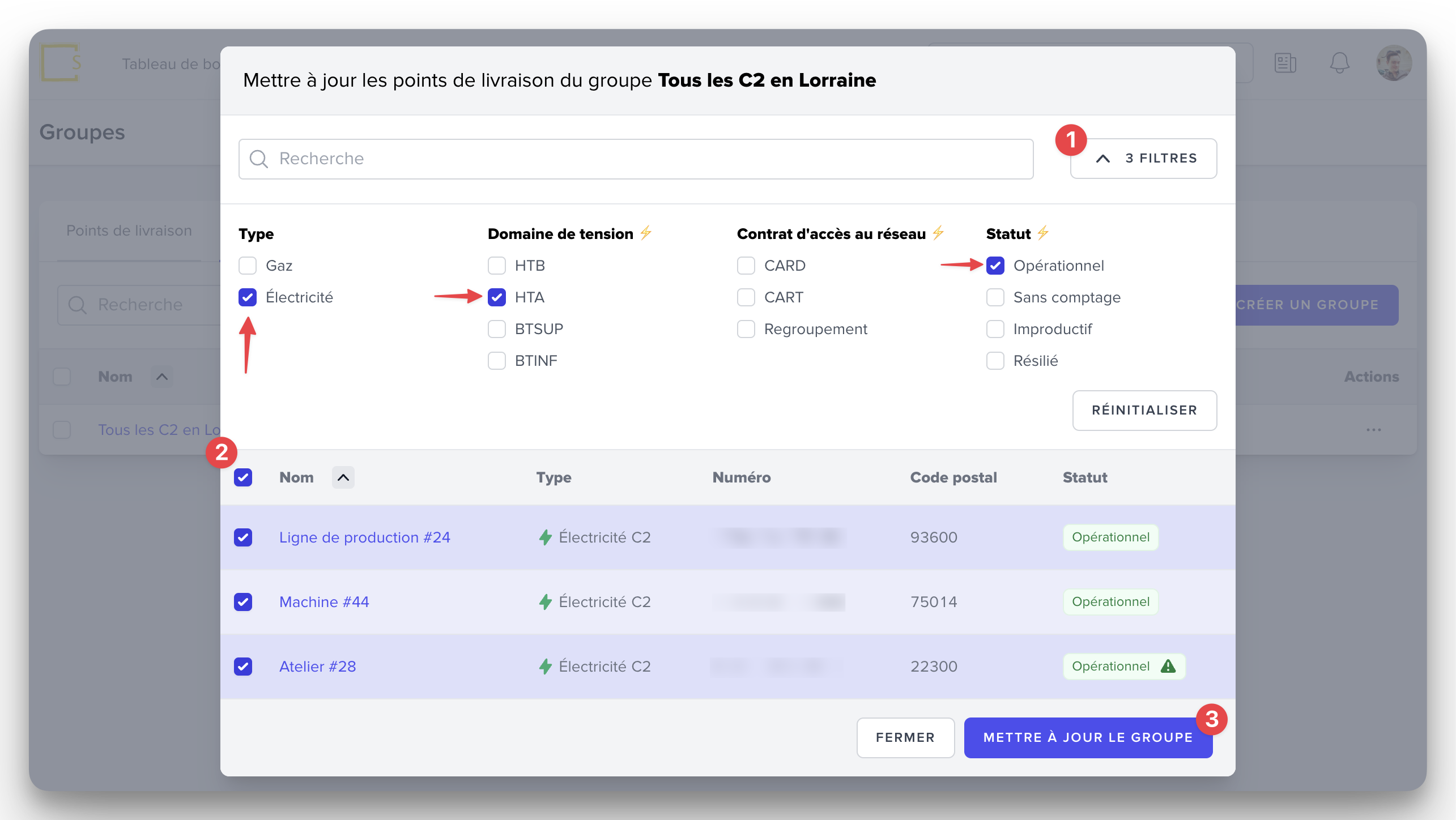
Click on the button UPDATE THE GROUP.
You can find the detailed list of delivery points that are part of the group in the Information tab.
Click on the name of the group you wish to view.
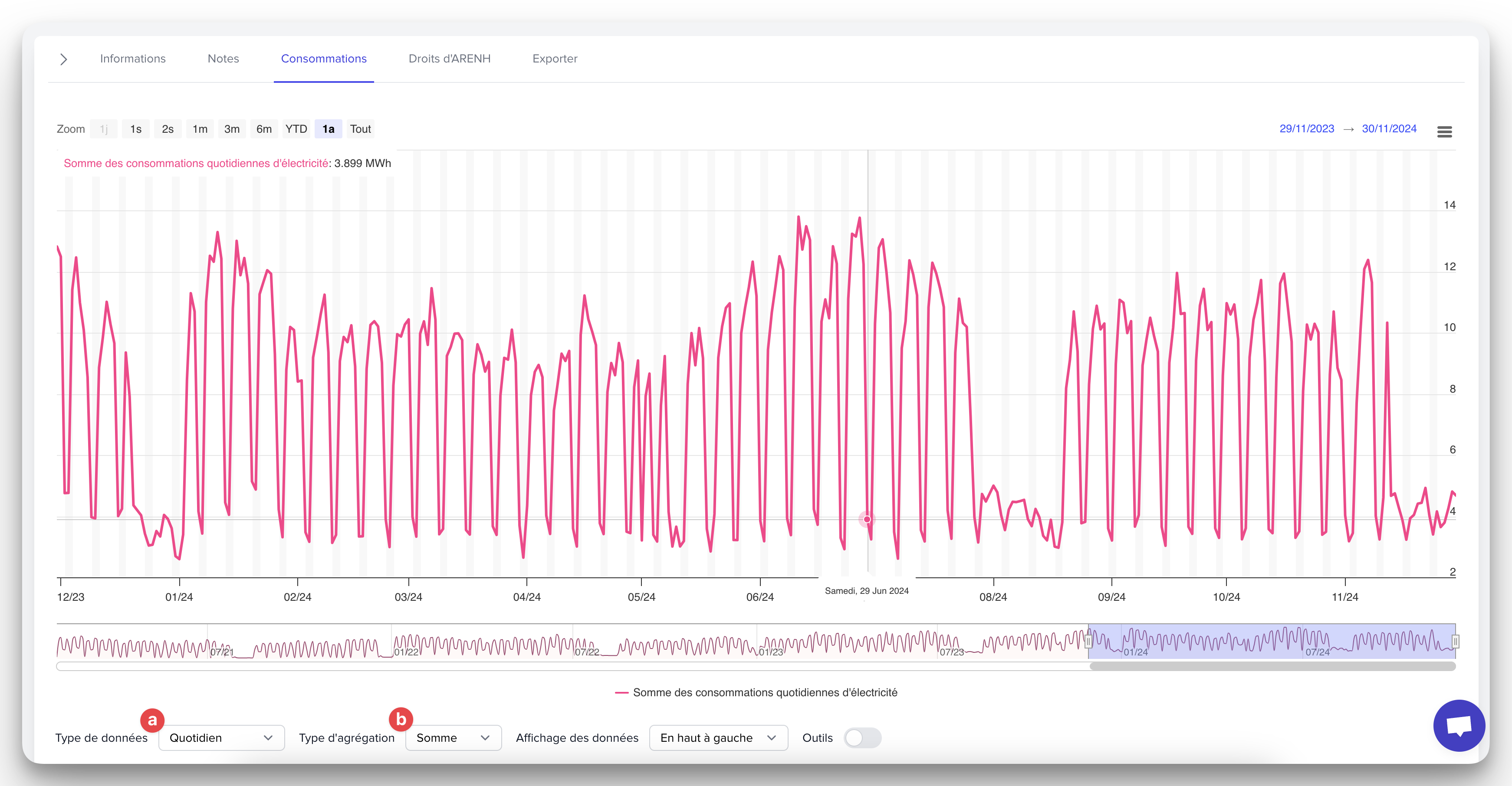
Click on the Consumptions tab.
Below the graph, you can choose:
The type of data between Daily and Weekly.
The type of aggregation between the Sum and the Average of the consumptions.
Each group you create is private by default. If you wish to make it public to all members of your company, click on the ••• to the right of the group name, then select the action “Share the group.”
Then click on the SHARE button.
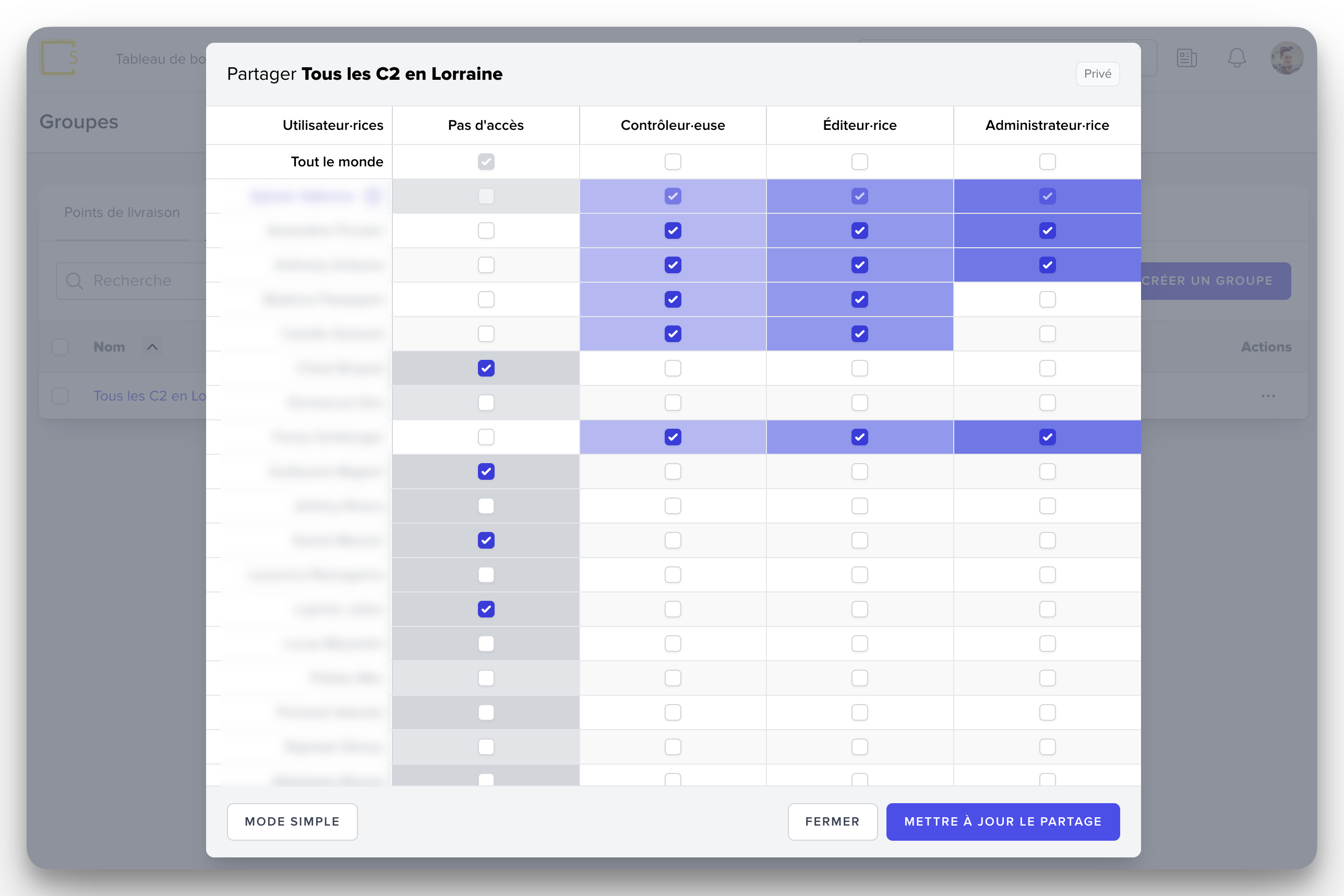
You can refine the roles of the members who have access to the group by clicking on ADVANCED MODE.
To cancel sharing, click again on the action “Share the group” then click on the STOP SHARING button.
This feature allows you to easily visualize the data of a group of delivery points: consumption data (average, total), consumption peaks by hour and by day. This information helps you to efficiently manage your company's energy budget.